MODEL STUDY / 001
A chair, 29 parts, and a file you can inspect.
FORM’s chair example is built from 29 modeling commands executed through an isolated MCP process. Its verification report records 29 closed component solids and successful FORM JSON, STL, and OBJ checks. The homepage animation is a scripted presentation of this geometry, not a timed AI-generation run.
Start with the actual model.
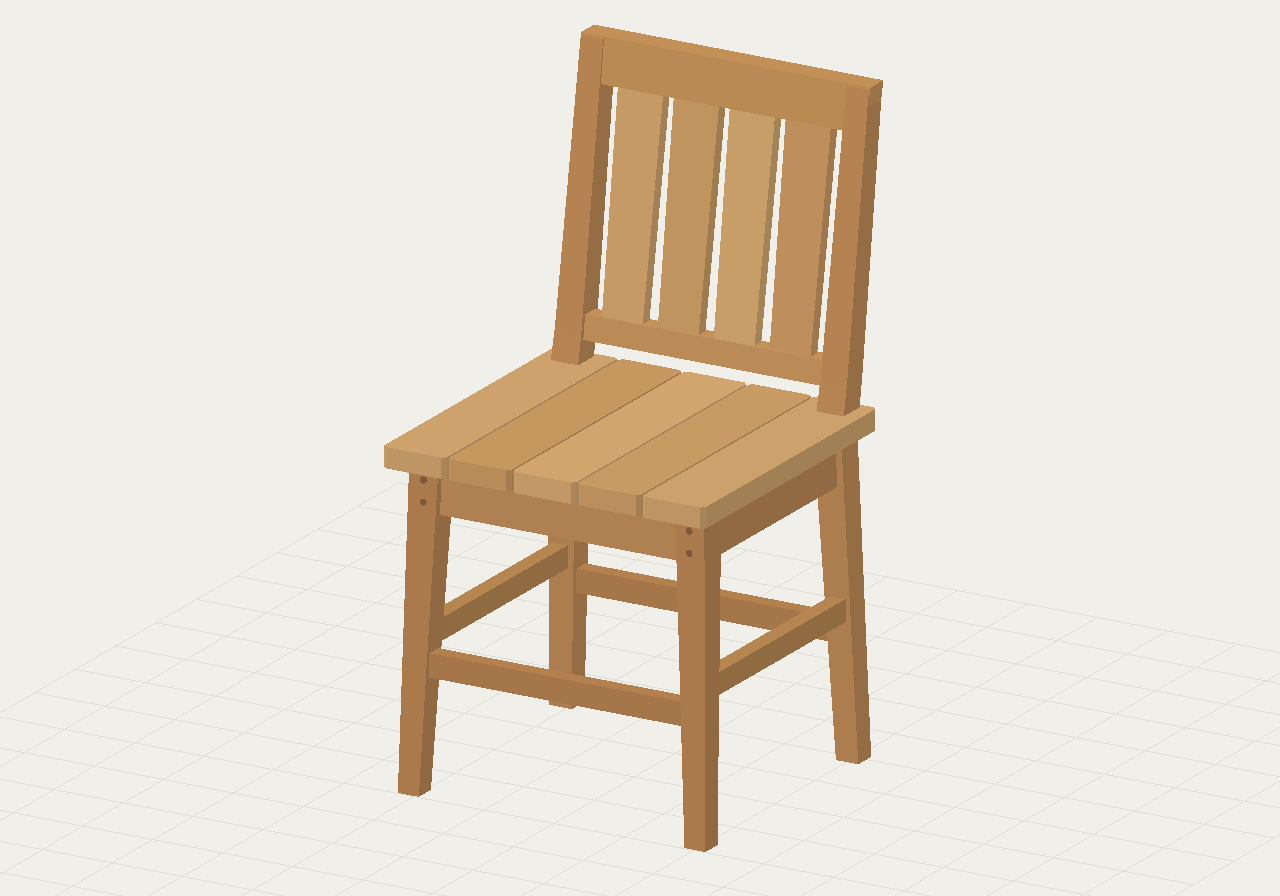
The chair is a collection of named parts. Separating components makes it possible to inspect an individual leg, seat element, or back component instead of relying only on an overall silhouette.
Import the JSON into a separate FORM project to explore its geometry. Keep a copy of the original before asking an agent to make changes.
What was verified?
The retained report identifies the source command file and its SHA-256 fingerprint. A reproducible process executes 29 create-object commands through MCP, inspects the resulting parts, exports the model, and reopens the FORM JSON.
- 29 closed parts: each component passed the recorded closure checks and had positive volume.
- 660 faces: the example uses relatively simple faceted geometry.
- Three format checks: FORM JSON round trip, STL export, and OBJ export were verified by the example-generation process.
The process uses the same modeling tools and kernel as the browser worker. It runs in an isolated stdio MCP process, so the report is not an end-to-end test of a particular hosted AI client or network connection.
What does the example not prove?
A set of closed components is not automatically one watertight assembly. The checks do not establish furniture strength, practical joinery, structural stability, material behavior, or suitability for fabrication.
The homepage walkthrough is a condensed scripted animation. Its duration measures playback, not the time an AI took to design the chair. No live model inference happens when you watch it.
These distinctions matter when evaluating AI CAD demos. A reproducible geometry artifact can support a capability claim. An AI-quality or speed claim additionally needs the prompt, model settings, tool transcript, timing method, and repeated attempts.
Use the example to practice a controlled edit.
Inspect this chair in FORM. Identify the seat and the four main legs by name. Describe their bounds and relative positions. Do not change the geometry yet.
After confirming that the agent understands the parts, choose a small revision such as renaming a component or changing its display color. Then try a geometric edit with a specific dimensional target and inspect the changed part.
A multi-part chair makes dependencies visible: moving a seat without adjusting its supports can break the assembly. Ask the assistant to identify affected components before a revision. Do not assume separate source shapes have automatic mechanical relationships.
For comparable AI attempts on another brief, see the espresso-machine benchmark. For a reusable starting specification, use the CAD prompt template.
Written by the FORM team. Product details can change; the linked references and current workspace describe the available workflow. Tell us if something needs correcting.