TEXT-TO-CAD, IN YOUR BROWSER
Ideas take shape.
Right here.
FORM is a browser CAD workspace for your AI. Connect through hosted MCP, describe what you want to make, and watch editable geometry take shape.
 ChatGPT
 Claude
 Gemini
 Cursor
 Cursor
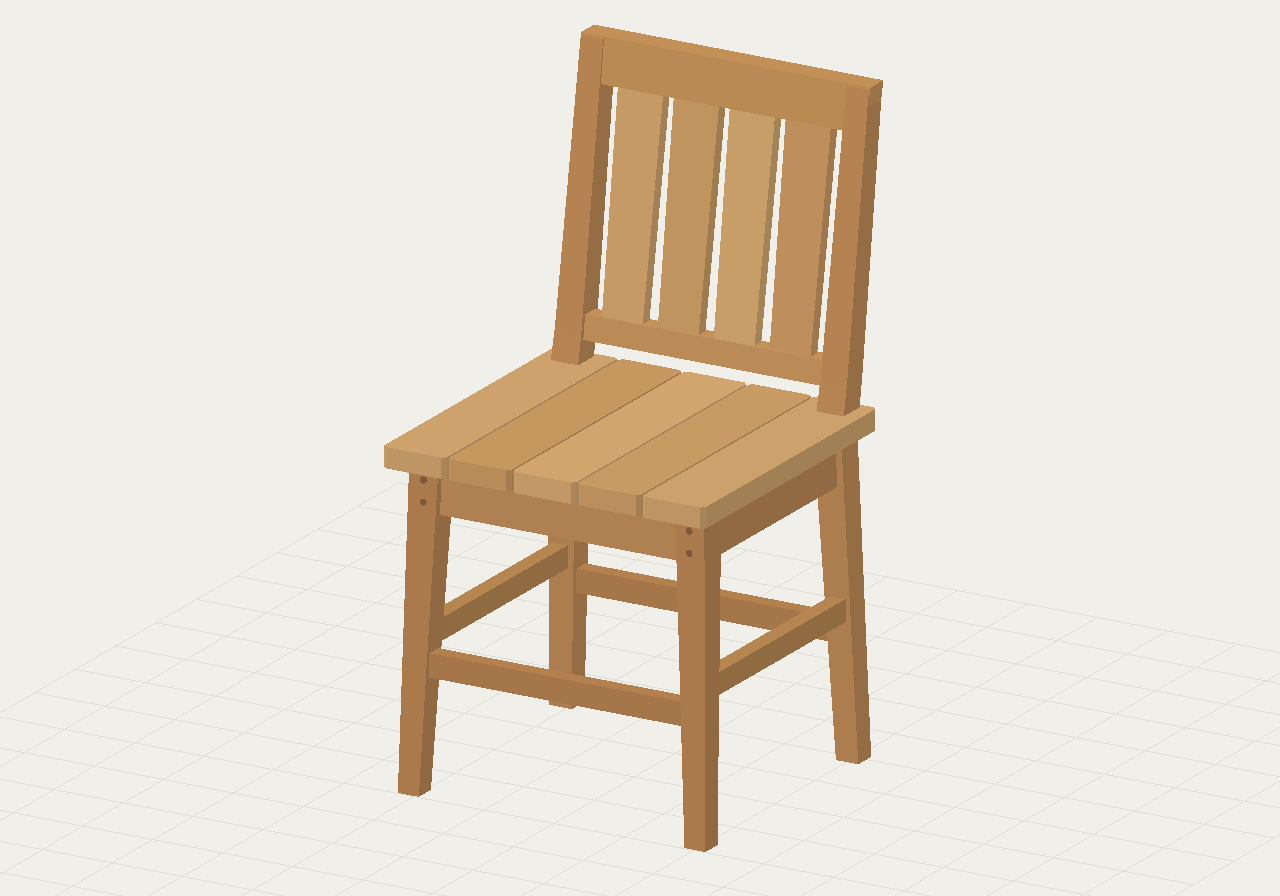
The prompt “Create a 3D model of a wooden chair using Form MCP.” is typed in an external AI app, switching between illustrative ChatGPT, Claude Code, Gemini CLI, and Cursor interfaces. Cursor passes the request to FORM through MCP. FORM then creates a project and builds 29 chair parts. The finished 3D model rotates through several views. This is a scripted, condensed walkthrough using real FORM geometry, not a generation-time benchmark. Connection options depend on the AI client.
FROM THOUGHT TO THING
Your agent builds.
You see it happen.
FORM gives your AI a CAD kernel and gives you a window into the work. Keep the workspace open as your agent creates, adjusts, and refines the model.
- 01 / BUILD
Give your idea a form.
Describe your idea to your agent. FORM’s modeling tools turn it into geometry.
- 02 / REFINE
Get closer, one detail at a time.
Watch changes appear in 3D. Orbit the model, inspect it, and ask for refinements.
- 03 / KEEP
Take your work with you.
Keep an editable FORM document, or export STL, OBJ, or 3DM for the next step.
ONE CONNECTION TO START
Make the connection.
Bring your agent.
Sign in and open Connect agent. Follow the setup for your AI client, using account authorization or an API key. FORM hosts the endpoint. Your AI brings the reasoning.
One hosted connection to the CAD tools, with every change visible in your open workspace. Geometry runs in your browser; projects and files save to your account.
Which AI clients can I connect?
Use a client that supports remote MCP and FORM’s authentication. The workspace provides client-specific instructions. Official guides include Cursor, Claude Code, or Gemini CLI.
FORM supports an OAuth sign-in flow and an API-key option. Availability depends on your client version and workspace permissions. Read the CAD MCP setup guide.
A LITTLE CONTEXT GOES A LONG WAY
From a first prompt
to your next workflow.
Text-to-CAD, with a model you can keep working on.
Turn a written brief into editable CAD with FORM and your AI assistant. Learn the workflow, supported file formats, and what to check before exporting.
Read the guide 02CONNECT YOUR AGENTA CAD MCP server. A live view of the work.
Connect an AI assistant to FORM’s hosted CAD MCP endpoint. Set up authentication, inspect a project, and troubleshoot the live browser workflow.
Read the guide 03RHINO WORKFLOWSRhino MCP: choose where your AI should model.
Understand Rhino MCP options, how FORM’s browser CAD workflow differs, and which geometry stays editable when you export a 3DM file to Rhino.
Read the guideBEFORE YOU BEGIN
A few useful
answers.
What is FORM?
FORM is a browser CAD workspace with a hosted MCP connection for AI assistants. Your assistant creates and edits geometry using FORM’s tools while you inspect the model in a live 3D view.
Explore text-to-CADDoes FORM run its own AI model?
Your connected AI client supplies the reasoning. FORM provides the modeling tools and executes geometry in your browser. Keep the signed-in workspace open while the assistant works.
Connect an AI assistantDoes FORM work with Rhino?
FORM exports 3DM files for Rhino. Supported NURBS definitions and primitive solids retain native representations; other objects become meshes. FORM does not control Rhino or run Grasshopper.
Read the Rhino workflow guideWhich CAD files can I export?
Export editable FORM JSON, STL, OBJ, or 3DM. STL and OBJ are mesh-oriented formats. 3DM fidelity depends on the object type. STEP import and export are not currently available.
Understand export formatsOPEN TO A CONVERSATION
What’s on
your mind?
A question about FORM, an idea to share, or an opportunity to build together? We’d love to hear from you. Users, investors, and curious minds are all welcome.
MAKE SOMETHING OF IT.
A little space.
A lot of possibility.
Open FORM Explore in your browser.
Sign in to save your projects and files, or connect your agent.